X-Plane 10.04 Beta 2发布

|

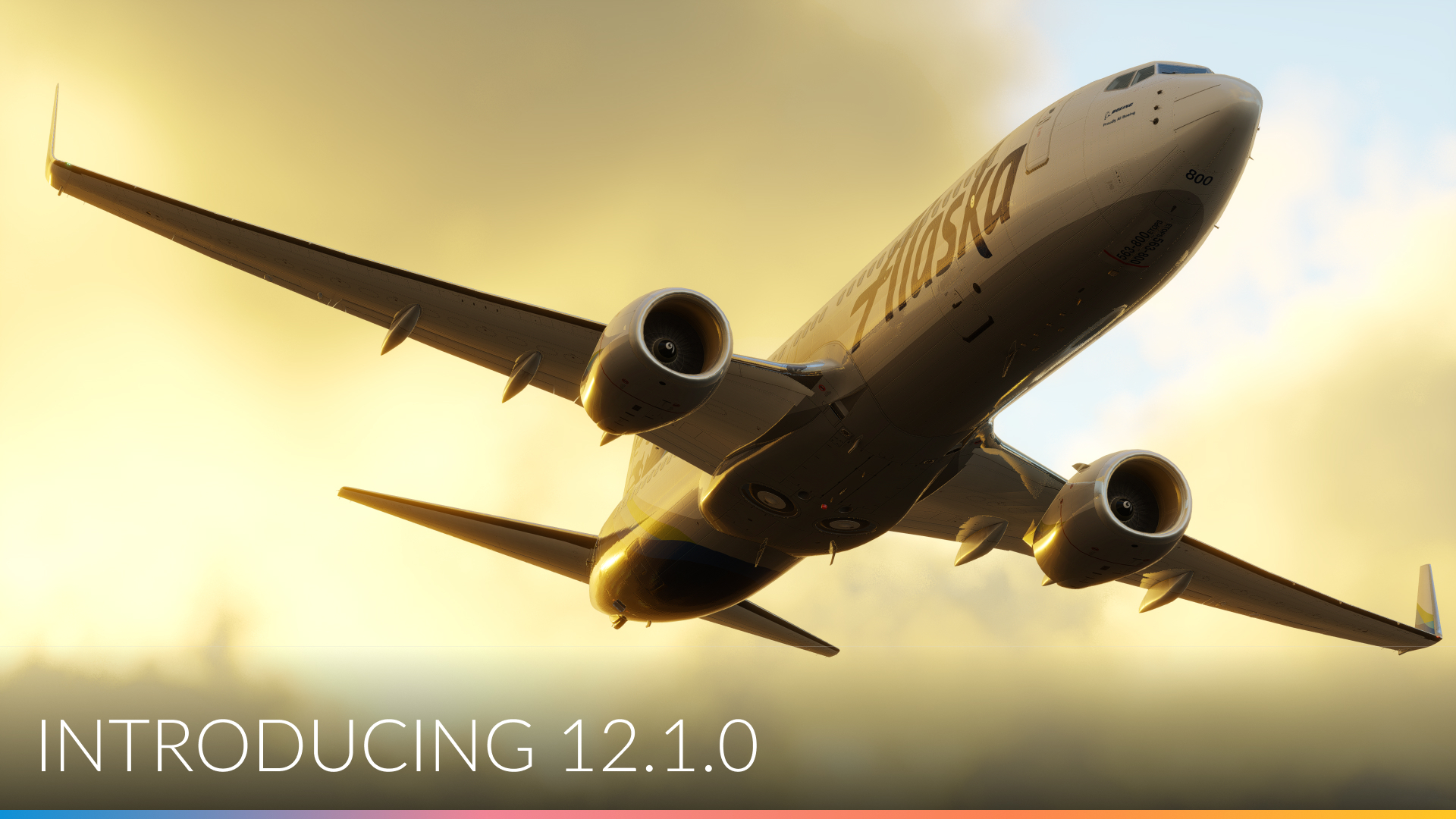
X-Plane 10.04 Beta 2发布了,因为还是beta测试版,
所以也还是需要自己主动去启动X-Plane 10 Updater程序来更新。

更新点如下,不过貌似跟自己的关系不太,自己经常使用的功能基本不在列表里面。


All buttons on the FMS's should work properly even if there are two different FMS's in the airplane.
Wind-shear and turbulence model refined a little more to be more complex in it's randomness, and not always quite so strong in what are requested to be moderate conditions, and to change in a reasonable way with altitude. This should help improve wind and turbulence modeling, especially with Real-Weather turned on.
X-15 drop and Space-Shuttle-carry missions should work properly now.
Right-mouse drag to look around in 3-D cockpit command-look view, and mouse scroll wheel zooms. This is a pretty convenient way to look around the 3-D cockpits. (This works in "command" look mode, not mouse look mode! So when you are not right-mouse dragging, the view stays still and you can manipulate the 3-d panel.)
Track-IR functions in ALL 3-d cockpit views now... It has WORKED for years, but is now easier to find since it engages in ALL 3-d cockpit views, not just one.
Cool new feature for QuickTime movies: Movie quality! Set it high or low depending on how good you want it to look... and how much disk space you want to burn!
External visuals should sync-up faster in the multi-machine setups, which should save some time in real flight-training scenarios.
Landing lights, spotlights, and spotlight aiming-angles all go from master machine to external visuals now.
Plane-Maker system screen: Option to auto-load with current values, or not, airspeed, vertical speed, and altitude when a new autopilot mode is engaged.
Visibility tuned to change with altitude in a more accurate way to follow the reported weather more closely.
AI planes should be better about holding desired altitude now, resulting in less annoyed air traffic controllers.
Fixed: incorrect warnings about missing scenery
Fixed (partly): the ocean shading should have fewer sharp lines on it. Far view shading of the ocean is still a work in progress...more color tuning in a future beta.
Fixed: wing flex now works - X-Plane was incorrectly zeroing out wing-flex on some v10 planes.
Fixed: sharp turns in taxiway lines now render correctly at KSEA and other airports.
Fixed: right button on Linux is now the "right" button, not the scroll wheel itself.
Fixed: plugins won't crash if they try to read the weather from XPluginStart
Facades:

Roof behaviors now match v9 for legacy facades
A bunch of new features to control the exact appearance of facade-attached objects - docs coming soon!
New facade features: attached objects on facades appear and disappear with "objects" rendering setting for better performance.

夏威夷漫游 首飞直升机

|

接着昨天继续在夏威夷飞行,在火奴鲁鲁机场touch and go也练习得比较熟练了,
那么就远离机场,尽情享受以下热带海洋风光吧。

今天换派珀PA-28飞机,先练了2-3次touch and go,然后出发绕着欧胡岛飞了一圈,

这一片的风光太熟悉了,毕竟自己亲自飞过的地方,每次都觉得很亲切。
最后成功降落,留个念吧。
Archer_III_15.png

不过总是感觉固定翼飞机速度太快,高度有高,看风景真不太合适,于是灵机一动,打算换直升机飞飞试试看。
Jetranger_2.png
第一次玩直升机,一开始加油门后飞机就直打转,也不知道如何控制,
试了试各种操作,发现基本控制和固定翼飞机基本一样,
而且当操纵杆向右倾斜到一定角度后飞机就会改平稳,于是就一直保持这个角度,
压杆飞机就向前飞,拉杆飞机抬头,脚舵改变heading的方向,
摸索着终于把直升机开起来了。
好吧,来张在珍珠港的纪念照。亚利桑那号纪念馆,你应该知道吧。
Jetranger_1.png

Jetranger_3.png 大概齐把直升机玩转起来,还是小有成就感的嘛。

训练日记:火奴鲁鲁机场的tracffic pattern

|

一直把家附近的RJTA当作自己的主场,练习都选在这里进行。
不过这几天风大,很不适合训练,于是把场地就换到自己曾经亲自驾驶过的夏威夷火奴鲁鲁机场来了。

刚到时还不太适应场地,随便选定26L跑道,先飞了一个小时的touch and go,
轨迹当然是歪歪扭扭,
スクリーンショット(2012-02-04 17.37.29).png
高度控制也是忽高忽低,
スクリーンショット(2012-02-04 17.47.14).png
用了一个小时终于把地形熟悉好,五边的控制也逐渐得心应手,最后的降落还算满意,full stop以后以Aloha塔台为背景拍张照片,纪念一下。
スクリーンショット(2012-02-04 17.47.48).png

晚上吃完饭后又飞了一个小时,巩固一下练习成果,除了最后进入final的时机还有些早,高度下降得又是比较早以外,大部分的降落都还算满意。
好不容易去趟夏威夷,连旁边近在咫尺的珍珠港也没去,专心练习,精神可佳,于是留下以下拷屏做为纪念。
スクリーンショット(2012-02-05 0.51.53).png
スクリーンショット(2012-02-05 0.52.10).png

训练日记:飞行的基本操作练习

|

水平飞行 level flight, 爬升, 下降descent的基本操作之个人总结,怕今后忘了先写下再说。

为了维持稳定的水平或者爬升与下降时,一定要先调整动力,然后控制机头的姿态pitch,最后是调整配平。

第一步的动力调节之所以重要,是因为发动机推力决定了飞机上升和下降状态。
一般人印象中,飞行员拉杆使飞机上升,推杆使飞机下降,实际上这是错误的概念。
拉杆实际上确实能使飞机上升一段高度,但同时在推力不变的情况下,空速会不断减少最终使飞机进入失速。
同样如果想用推杆使飞机下降,飞机不断低头而使空速会不断增加,这将会提高飞机的升力,使高度反而升高。
所以一定要记住,为了维持一个稳定的高度调整过程,一定要调整动力。
从爬升进入平飞状态(level-off)时,首先要适当降低发动机推力;从平飞进入爬升时要提升推力;从平飞进入下降时要降低推力。

第二步调整姿态角pitch的目的既然不是高度,那是什么呢?是为了调整空速。
推杆后,飞机会低头增速;拉杆后,飞机会抬头减速。
注意这里的速度的增减是有一定范围的,如果想要大幅增速,毕竟还是需要增加发动力推力的。

第三步的配平,主要是为了减少拉杆推杆的力量,所以当动力和姿态基本稳定后,也就是高度和速度稳定以后,
适当调整配平器让飞行员不用老用力推拉着杆,减轻驾驶压力。
这里要注意的是配平毕竟是个辅助的操作,高度速度调节主要还要靠动力和姿态角,不要过度对配平进行操作。

实际操作练习
假设你正处于95节的平飞状态,动力为2200rpm,高度2000英尺,现在准备上升3000英尺。
塞斯纳172的最佳上升率时的速度为75节,所以你先降低空速,拉杆抬头。
当速度接近75节,把油门加大到2400rpm,高度不断升高。同时为了维持速度的稳定,需要微微调整pitch。速度稳定后配平使加在操纵杆上的力量为零。
这样就进入稳定的上升阶段了。

当高度接近到3000英尺,一般来说当上升率为1000英尺/分时,取该数值的10分之一,即距离目标高速100英尺的2900英尺处压杆,控制飞机姿态恢复到水平,同时飞机会加速,当恢复到平飞的90节左右时,降低油门到2200rpm。
到达3000英尺处,逐渐调整pitch,使速度稳定在95节左右。
高度和速度都稳定下来后,最后进行配平。
如此进入了3000英尺稳定平飞状态。

从3000英尺平飞,动力2200rpm,空速95节的状态下降到2000英尺时,
首先减油门至1800rpm,拉杆,调整速度至85节左右。然后配平。速度稳定后即进入了稳定的下降阶段。
到达2100英尺处,加油门至2200rpm,压杆控制飞机姿态恢复到水平。
高度到2000英尺,控制速度维持至95节,并配平。
这时就又恢复到了2000英尺的稳定平飞状态了。

由于出差的缘故,有两个星期没有练习X-Plane,怕手生了赶紧利用周末复习一下。
今天主要还是重复做touch and go,围着机场一圈又一圈。
touchandgo20120129.png

看轨迹图觉得还是base leg问题最大,速度有些过快,进入final approach的时机比较晚,另外机头总还是对不准跑道。

自己的traffic pattern的操作一般如下:

departure leg:
55节抬前轮,爬升空速80节~90节,至300英尺处减油门至2000rpm,500英尺处转弯
这个阶段感觉2点操作比较重要,一个是脚舵,在跑道taxi和刚刚腾空时总感觉飞机会向左偏(应该是P-Factor效应吧,这里有篇文章就讲这个的),所以要
注意观察turn coordinator倾斜转弯指示器的小球,用脚舵把它控制在中央位置;另一个是一般刚起飞后机头总有向上抬的倾向,可以适度压机头使爬升角度不过太大。

crosswind leg:
保持爬升空速80~90节,至900英尺处转弯
这个阶段也要注意爬升角度不至过大,尽量是crosswind这一边稍微长一些,便于base leg时有更多的时间进行调整

downwind leg:
收油门到1800rpm,1000英尺处改平,巡航速度90节。
正切到跑道头时收油门至1500rpm使飞机下降高度到800英尺,抬pitch减空速至80节。
这个时候比较困难的是为了减速抬机头时,飞机的下降率也随之上升,所以达到800英尺高度时总是花时间比较长,心里着急。所以这几个操作还是要多练习。
跑道头于机翼成45度时应该进入base leg,但是因为自己为调整高度花的时间长,大概转弯时的角度好几次都不到30度了吧。

base leg:
收油门至1400rpm,抬机头使空速降到70节,放下襟翼10度。500英尺处开始转弯。
这个阶段的问题也还是速度的控制还不够自如,花时间一长,就飞过了跑道,所以看上图就知道,有几次在五边处飞了个S形,轨迹很槽糕。

final approach:
收油门至1300rpm,空速65节,如果速度过高可以放襟翼20度,但速度控制的没问题时不继续放襟翼貌似也没问题。到跑道头收油门,脚舵控制朝向跑道中间线,平漂落地等等。
这个阶段的问题还是对不准跑道头,姿态总有些侧风着陆时的感觉,怪怪的。另外就是高度有时候降的过低,接近跑道时不得不加大油门以维持高度。四边五边时的维持一个坡度更小更平稳的下降率是今后的重要课题。

X-Plane 10.04 Beta 1终于发布

|

出了个差刚回来,这个blog也暂停更新了近2个星期,不好意思

X-Plane 10.04 终于发布了,这次首先推出的还是测试beta1版,
要注意要想安装的话,必须主动去启动X-Plane 10 Updater程序,
而不象以前启动主程序时被提醒要升级。
你也快点去升级看看吧。

这次的新版内容如下,有时间再翻成中文。

ATC:

AI Aircraft now climb/hold altitude better dramatically reducing the frequency of hearing ATC yell at them.
Protect against aircraft doing something WAY out of bounds like departing instead of taxiing or holding short.
Stability improvements
Step descents dramatically improved
ATC should now tell the user what approach they're setting them up for
ATC "Radio" box text color tweak
Fixed AI aircraft names
Lots of tuning and tweaking to make everything just right here in this release:

Plane should be able to hold still quite a bit better during runup, and not slowly drift with the brakes on!
Manifold pressure model is now improved to be more like real planes.
French and Spanish translation improvements to make the menus a hair more accurate in those languages.
Better vertical resolution of the NMEA strings for newer (real) moving maps that plot vertical paths as well.
More resolution in the FDR replays, so even little RC drones with small movements can have their paths recorded perfectly.
Cylindrical projection should be able to handle changing the screen-res on the fly with no problem now.
Better metar parsing: X-Plane should not be confused over various comments in the metars about the wind.
As well ATIS should report the visiblity accuratley in all cases. Earlier versions did not report the very low-vis cases correctly.
And, an option to re-scan real-weather to go along with re-download.
The heat-blurr rendering effect is now offset by the exhaust offset specified in Plane-Maker, which is useful.
As well, the heat blurr now draws for ALL planes, not just the one you are flying.
As well, you can specify the exhsust offset PER ENGINE!
Proper cloud textures used even if you have both cumulus and cirrus layers at the same time.
The yaw-string is visible for the gliders and helos.
A-I airplanes should be a bit more robust, really adding power if needed to get out of ditches or up hills, and not having systems break, rendering the plane stopped or otherwise motionless.
TCAS system should only call out guys with their transponder on...and the AI should only turn on their transponder for flight, not taxi! This is getting down to a pretty crazy level of realism, here.
New failure: brown-out! In the upper right of the first page of failures.
A pretty nice failure for helos, added for use in real military training now!

Aircraft and Attached Objects:

Aircraft can now have any number of attached objects; the interface is revamped to show this.
Attached objects now have per object control over LOD, shadowing, and pre-fill. These options let you tune your plane for maximum performance. Click the "More Info" button in the Plane-Maker screen to view a description of what the settings do and how they should be used.
The 747 and CirrusJet now have some of the pre-fill and shadow options set to improve 3-d cockpit framerates; we'll work through the other planes during beta.
Wing flex for v9 planes now defaults to off; this prevents graphic errors when the attached parts aren't authored to flex with the wings.
Plane-Maker taxi lights don't shine into the interior of the P-180.
Fixed culling and drawing of OBJ-based weapons in the sim and Plane-Maker
Other random stuff:

The fps test is fixed to not sit in the joystick calibration screen.
New smoke puff artwork
Baron: Fixed the altimeter needle. King air: Multiple flight model / engine enhancements. (Per Jan Grundke / Twinpropflyer ) input.

来源:http://wiki.x-plane.com/Beta

以前介绍过 插件介绍: Google地图显示GMAP FOR X-PLANE (FREE MOVING MAP) , 这个插件其实还有一种显示模式,
GMap for X-Plane (Mac Version) 2.0 EFB Edition,
我觉得更象GPS导航仪的感觉,真实感更强,推荐一下。

スクリーンショット(2012-01-02 11.41.48).png 上图是停留在济南机场的截屏。 スクリーンショット(2012-01-02 18.09.51).png

上图是飞在泰山上空时的截屏。

训练日记:维持速度高度的困难

|

继续在塞苏纳172上练习touch and go和steep turn,
steep turn比以前高度和坡度的维持要好一些了,
看local map上画出的接近8字的航迹还是有一些达成感的。
以往驾驶时把注意力主要集中在高度和坡度上,经过几天练习后有些进步,但一直却没有太在意速度稳定性的问题。
今天飞行时更加注意观察了下速度计,发现速度变化还是挺大,从80到100节之间很不稳定,这可还不行,
今后还是要注意把速度变化维持在10节之中多练习。

touch and go的问题还是在base leg以后下降率过大,以致高度下降过快,
注意以后虽然有些改善,但还是不够理想,这个课题还是要花时间慢慢解决。

训练日记:touch and go

|

今天周六,终于有时间尽情练习了,于是把机场地点选在家附近的rjta,
也不管atc了,起飞以后直接飞5边起落航线,然后touch and go,
一圈接一圈,大概飞了15个吧,这才full stop。

今天的收获是要注意观察地面标志,何时进crossswind leg,何时进downwind leg,
何时进base leg,一开始时自己总以跑道为参照物,所以不得不不断的切换视角,极其繁琐。
后来就找地面上的一些标志性目标,比如高楼,高速公路,或者类似公园一样的大块绿地等等,
以这些做参照的话,转弯时就可以集中精力操纵飞机,而不用总看跑道的位置。

实际飞行后看看local map,参照地面目标以后飞机的航迹很明显跟以前不一样,
以前的总是歪歪扭扭的不正规的4边形,后来的就基本接近4边型了,虽然四个角还不全是90度,
但已经改善不少了。

看起来今后还得要多练习呀。

liveatc.net的听力练习续

|

前几天介绍了liavatc.net,
实时收听确实很有现场感,但是语速太快,试了几天觉得还是很难听懂,有什么更好的方法没有呢?

继续查了查,发现liveatc.net还有一个很好的archive功能,以往的ATC都是可以下载的,
这个很有用嘛。比如肯尼迪机场的archive页面,
http://www.liveatc.net/archive.php?m=kjfk_twr
选择日期和时间带后,就可以进入mp3的播放和下载页面,很方便不是?

但是还有一个问题,ATC的对话是不连贯的,每个对话之间总有几十秒甚至数分钟的空白间隔,
听起来效率很低。
于是就考虑有没有方法把mp3文件里的无声空白删去的方法,网上查了查终于找到一个好软件 -- Audacity 。
这个软件功能很强大,貌似能做很多事情,不过自己只不过用Trancate Silence一个功能而已已经很满足了。

使用方法如下:
首先下载 里的Audacity 1.3.14 ,
解压后把Audacity.app 拖到Application目录下即可使用。
然后打开刚才下载的ATC音频文件,比如 KJFK-Twr-Jan-08-2012-1630Z.mp3
选择Effect菜单,点击Trancate Silence...命令,即可把所有空白自动删除,把原来的音频压缩成较小的文件。

如果想把文件再存成另一个mp3文件,可以打开File菜单,选择Export命令,这时会弹出一个对话框让你选择文件名,扩展名,目录等等。要注意的是如果想存成mp3形式的文件,需要事先安装Lame mp3 encoder Library,不过也很简单,打开http://lame1.buanzo.com.ar/, 下载Lame_Library_v3.98.2_for_Audacity_on_OSX.dmg, 然后安装就是了。

下面是本人制作的一个样本,你可以试试看自己的听力如何。
KJFK-Twr-Jan-08-2012-1630Z.mp3